All privacy proofs run in a native C++ library bundled inside the APK — nothing sent to a server.
Free · Open-source · Android · v1.0.2
The Octra Wallet.
The Octra Wallet.
Private by default.
Yours forever.
Download the only Android wallet that runs native PVAC privacy operations fully on-device. Public sends, encrypted balances, stealth transfers, live portfolio tracking — zero server dependencies.
Latest
v1.0.2
·
Android 6.0+
·
arm64 & x86_64
·
GPL-2.0
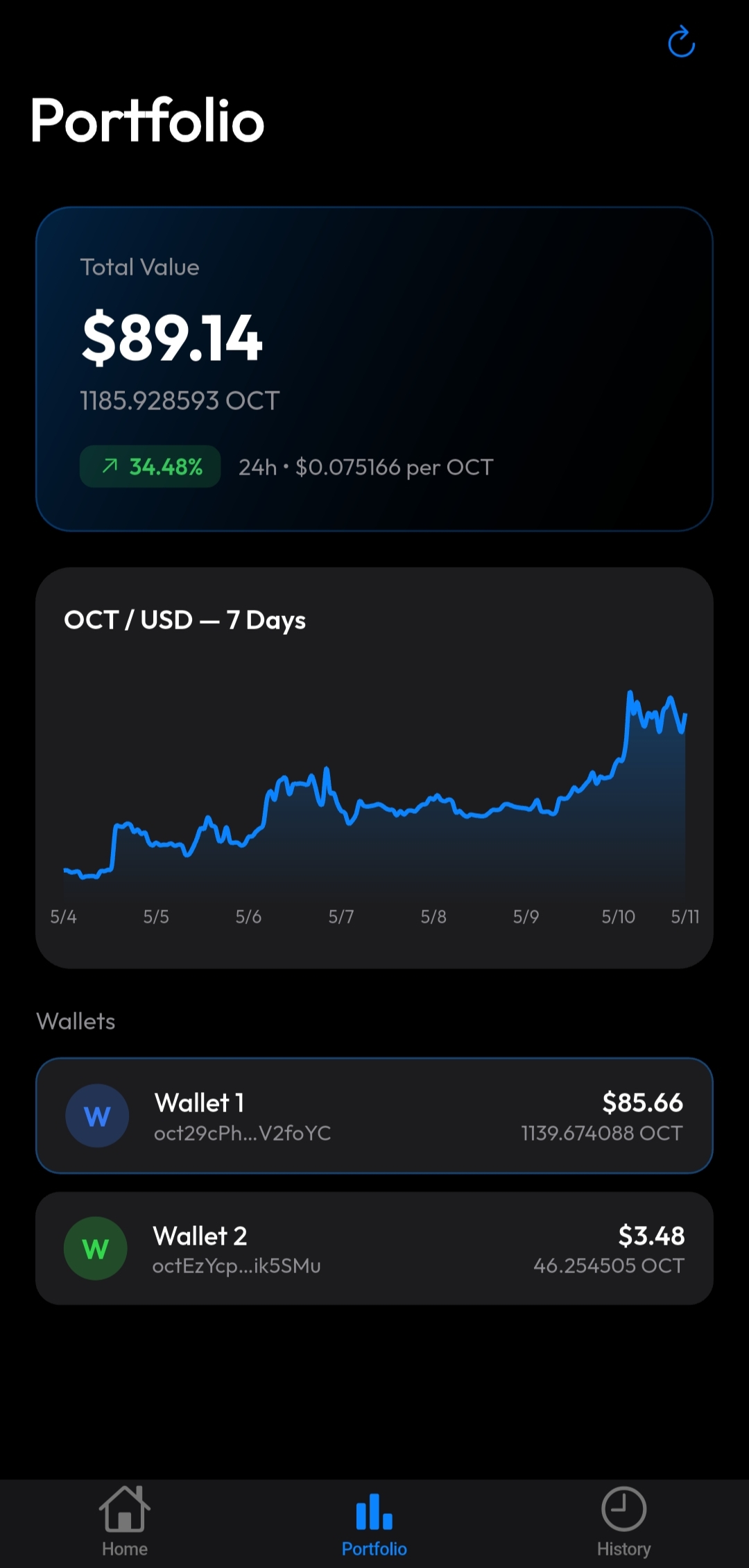
Real-time OCT/USD price, 7-day interactive chart, and per-wallet dollar breakdown.
GPL-2.0 source code, reproducible GitHub Actions builds, and public CI logs for every release.
App screenshots · v1.0.2
Every screen, as it really looks.
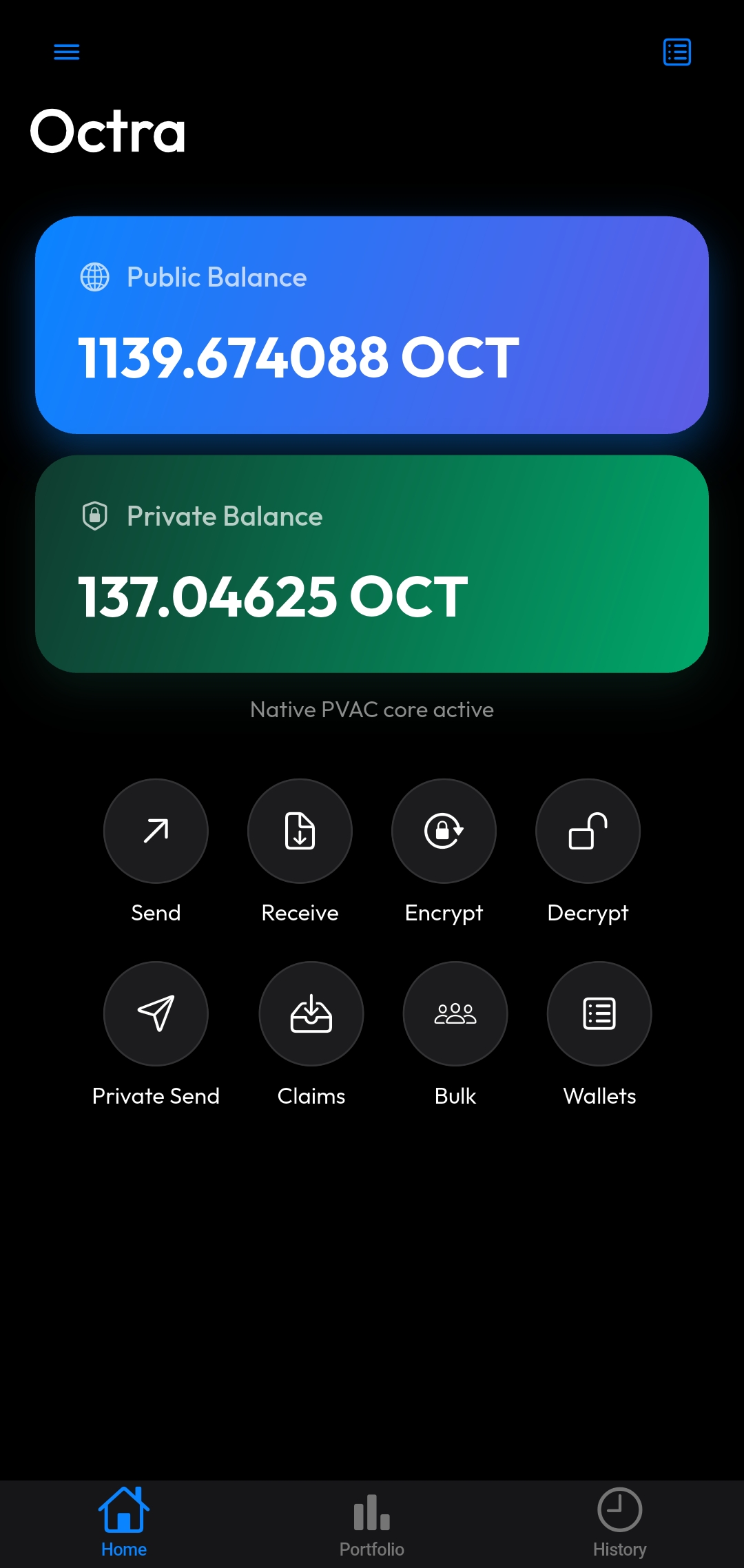
Real screenshots from the production APK — not mockups.
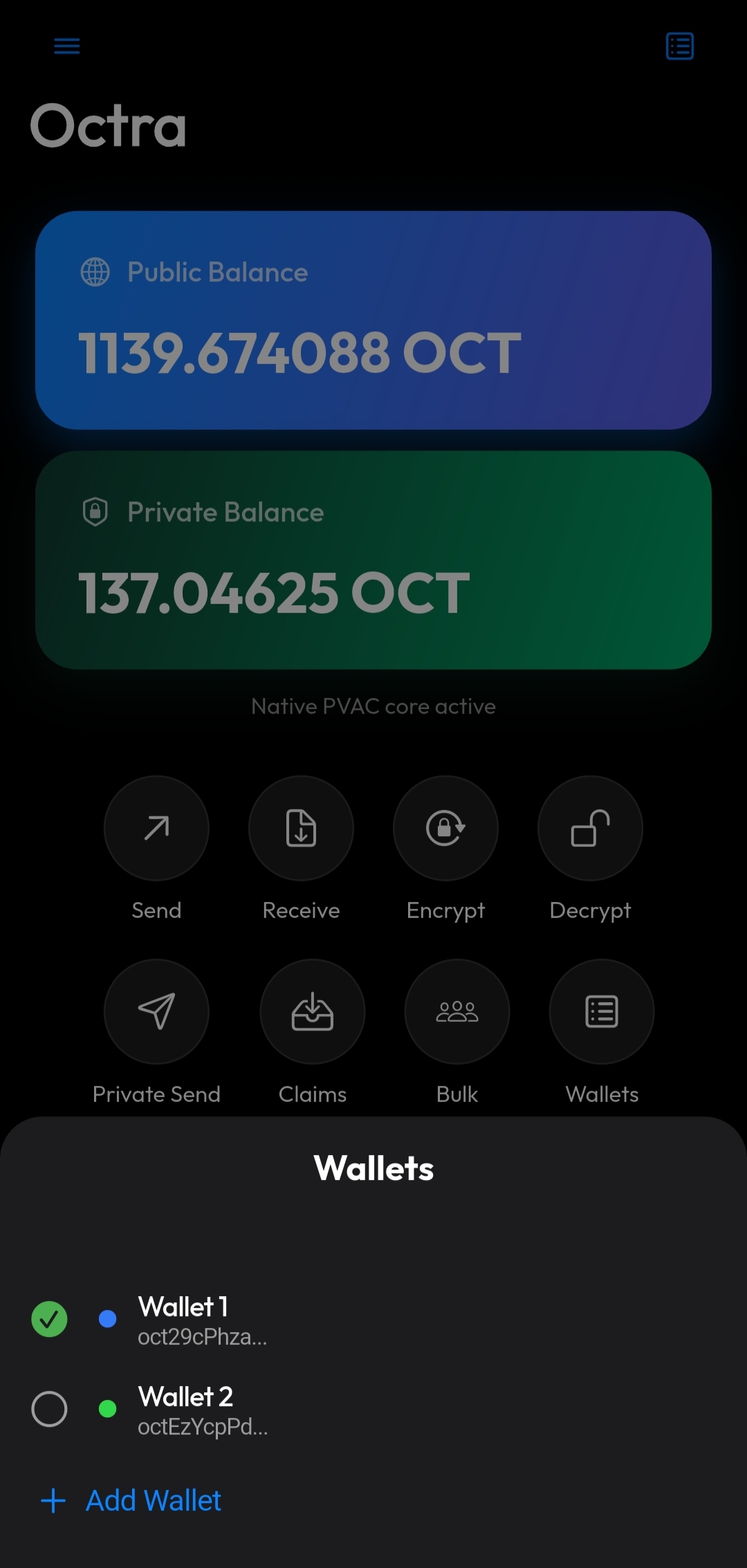
Swipe to see more screens
Wallet features
Everything you need for Octra.
Built from the ground up for real day-to-day usage on the Octra network.
Public & bulk transfers
Sign and submit OCT transfers directly from Flutter. Batch up to 5 recipients with correct sequential nonces in one flow.
PVAC privacy operations
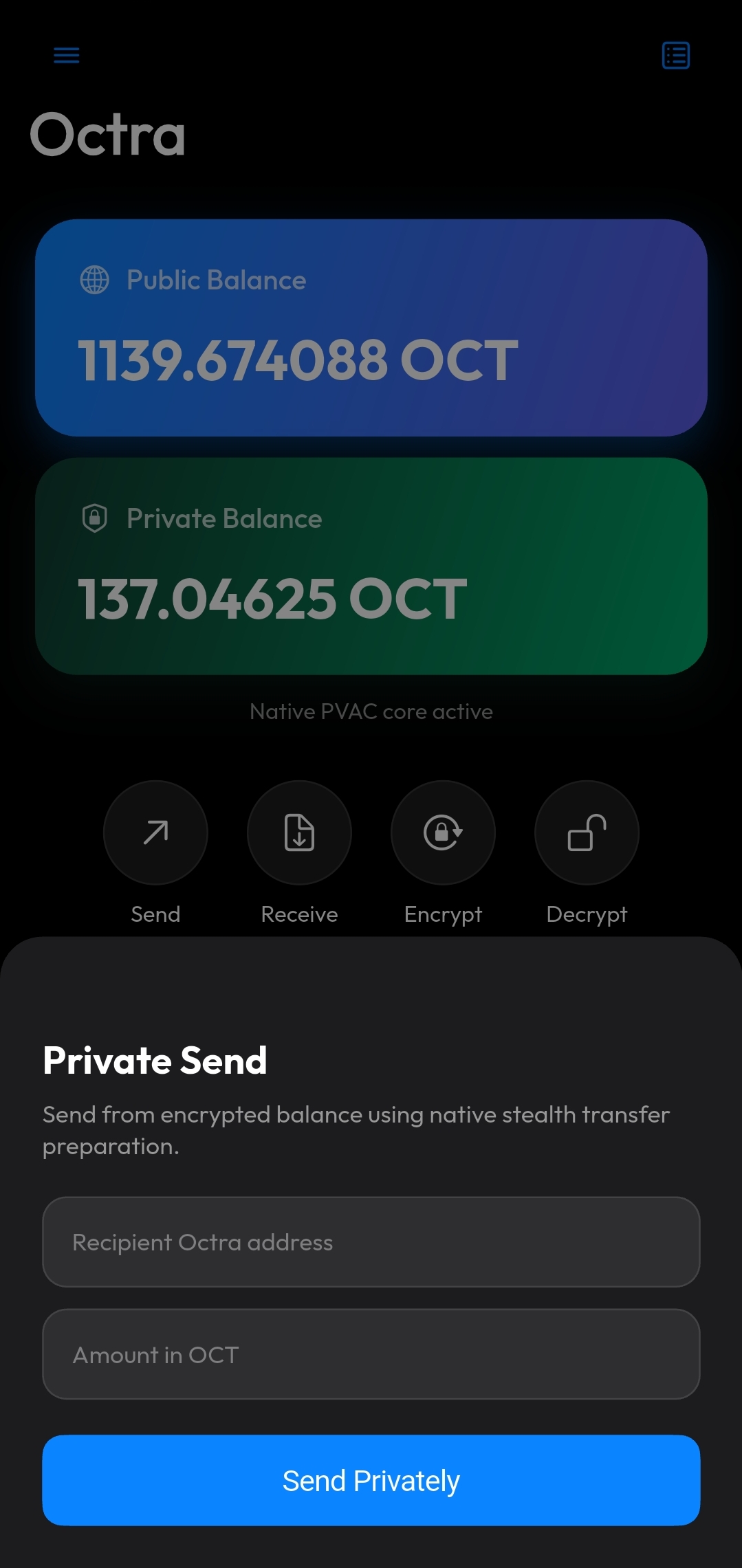
Register your PVAC key, encrypt public OCT to private balance, decrypt back, send stealth transfers, scan outputs, and claim — all on-device.
Portfolio tab New in v1.0.2
Live OCT/USD price from CoinGecko, interactive 7-day chart, 24h change indicator, and a per-wallet USD breakdown updated on every refresh.
Full transaction history
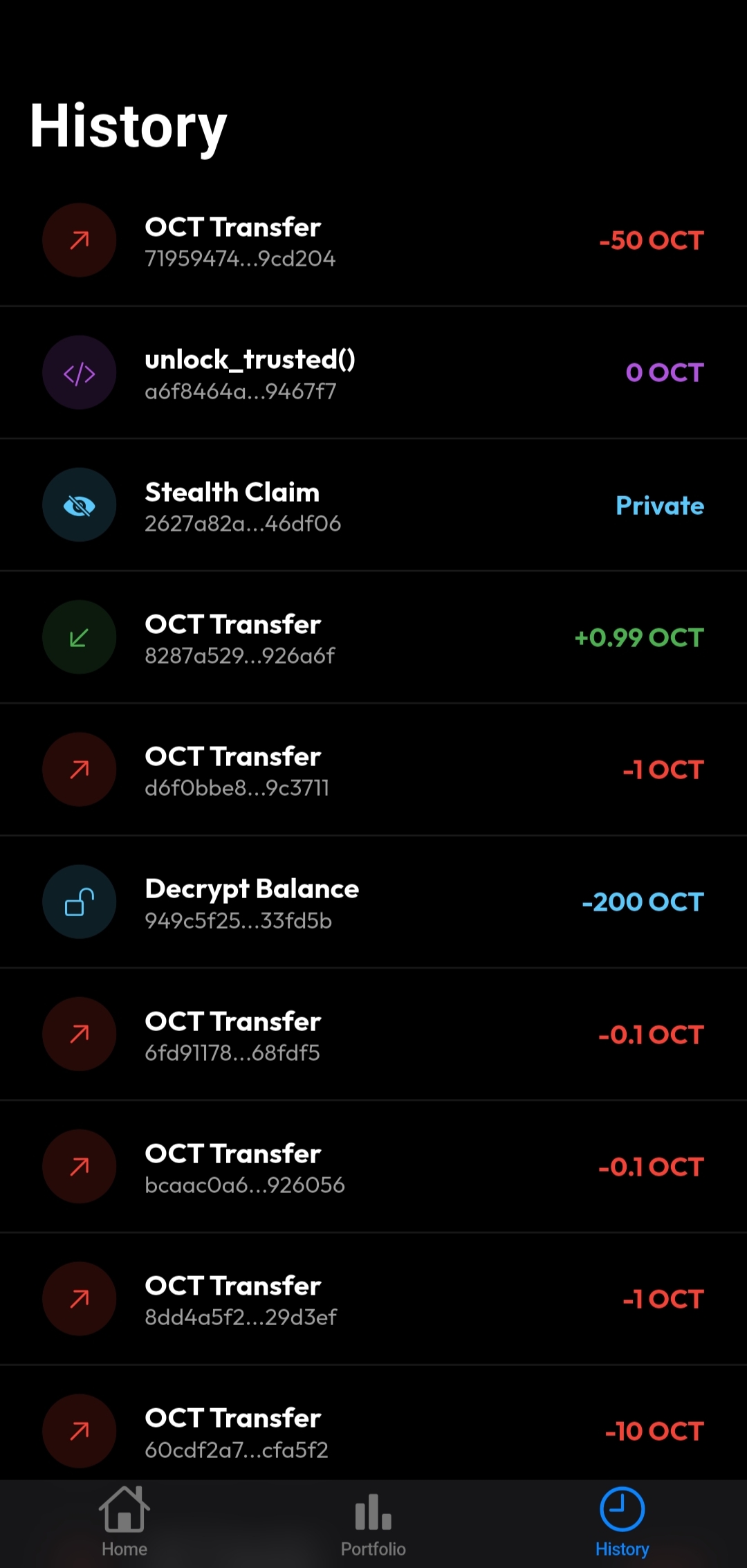
OctraScan-backed history scoped to the active wallet — transfers in and out, stealth claims, encrypt/decrypt ops, with one-tap explorer links.
Multi-wallet management
Create HD wallets, import by seed phrase or private key, add watch-only addresses, rename, assign colours, export, and switch instantly.
Custom tokens
Import any Octra token by contract address, view live balances, send token transfers, and swipe to remove tokens you no longer need.
PIN & biometric security
4-digit PIN with optional Face ID or fingerprint. Required before every transaction-changing operation. Shake animation on wrong PIN.
Dynamic fees
Recommended fee fetched per operation type before every submit — always paying the right amount, never overpaying.
Installation guide
Install Octra Wallet in 3 steps.
No app store required. Sideload in under a minute on any Android 6.0+ device.
Download the APK
Tap the button below to download Octra-Wallet-v1.0.2-android.apk directly from GitHub Releases.
Download APKAllow unknown apps
On Android: Settings → Apps → Special app access → Install unknown apps — enable for your browser or Files app.
Open & install
Open the downloaded APK from your notification or file manager and tap Install. Launch Octra Wallet and create or import your wallet.
Architecture
No server. No custodian. No compromise.
Flutter owns the interface. Native libraries own the crypto. Long PVAC operations run in background isolates so the UI never freezes.
Flutter UI
Wallet state, screens, portfolio, history, QR flows, and all user confirmations.
Dart FFI bridge
Stable JSON command surface between Dart and native C++. Runs in a serialized background isolate.
Native PVAC
Vendored C++ PVAC backend packaged as liboctra_core.so — runs 100% on device.
Open-source security
Inspect every line of code.
The full Flutter source, native C++ bridge, and vendored PVAC backend are published on GitHub. Every release APK is produced by a public GitHub Actions workflow — no secret build servers.
Non-custodial warning
You hold your own private keys. Nobody — not the developer, not any server — can recover a lost seed phrase. Test with small amounts first.
FAQ
Frequently asked questions.
What is Octra Wallet?
Octra Wallet is a free, open-source Android mobile wallet for the Octra (OCT) cryptocurrency network. It bundles native PVAC privacy libraries directly in the APK so all privacy operations run locally — no server needed.
How do I install Octra Wallet on Android?
Download the APK from GitHub Releases. In Settings → Apps → Special app access → Install unknown apps, enable it for your browser or Files app. Open the APK and tap Install. Requires Android 6.0+.
What is PVAC and why does it matter?
PVAC (Private Value and Computation) is Octra's on-chain privacy system. It lets you encrypt OCT into a private shielded balance and send stealth transfers that only the recipient can discover. Octra Wallet runs PVAC proofs natively on your phone — no cloud, no server.
Is Octra Wallet safe? Who holds my keys?
Fully non-custodial. Your private keys and seed phrase never leave your device. They are stored in Android's encrypted secure storage. The full source is auditable on GitHub and every APK is built by public CI.
Does Octra Wallet support multiple wallets?
Yes — create, import, or add watch-only wallets. Each has its own name, colour, and history. Switching is instant and all data is scoped to the active wallet.
What is the Portfolio tab?
Added in v1.0.2. It shows your total OCT holdings in USD at the live CoinGecko price, an interactive 7-day OCT/USD chart, 24h change badge, and individual wallet USD breakdowns.
Which Android versions are supported?
Android 6.0 (API 23) and above. The APK ships as arm64-v8a + x86_64 fat binary — covering virtually all modern Android phones and tablets.
How do I back up my wallet?
Tap the menu icon (top-right) on the Home tab → Export. Copy your private key or 12-word seed phrase and store it offline. There is no recovery option if you lose it.
Will Octra Wallet be on the Google Play Store?
Play Store distribution is planned. For now, sideload the APK from GitHub Releases. It is signed, CI-built, and production-ready.
Free download · No account needed
Get Octra Wallet for Android.
CI-built and verified to include liboctra_core.so, libcrypto.so, and libc++_shared.so. Minimum Android 6.0 (API 23).
Download v1.0.2 APK
Release notes
Enable Install unknown apps in Android settings before installing.